numio
Numio is a no-code platform that turns a spreadsheet into a branded, lead-capturing web calculator. Import the file, assign cells to inputs and outputs, and publish. Visitors never see the spreadsheet.
Sales and marketing teams already keep their pricing and ROI logic in spreadsheets they trust. But you can't put a raw sheet on a website, capture leads from it, or keep the formulas private. Every calculator builder on the market asks you to rebuild that logic inside its own editor, which means two sources of truth and math nobody wants to maintain twice.
The original builder had its own formula language, and that was the pain point: people kept stumbling because they had to learn to write math the Numio way. Watching that, I kept coming back to the tool they already knew. My proposal was to stop building a formula language and embed the spreadsheet itself: import the file, point each input and result block at a cell, and the published calculator recomputes in the visitor's browser while the sheet stays hidden. That idea became the product's core, and eventually its positioning: your spreadsheet is the calculator.
The builder is three tabs, and I designed all of them, iterating with a senior designer alongside. Formula holds the embedded spreadsheet: import an .xlsx and it arrives with formulas, formatting, and every worksheet intact. Build arranges input and result blocks next to a live preview of the calculator. Style themes it to the customer's brand. The core interaction is Assign: click a block, click a cell, and the button confirms Assign B7. Making that binding read clearly in both directions, inputs writing into cells and results reading out of them, was the design problem the product lives or dies on.
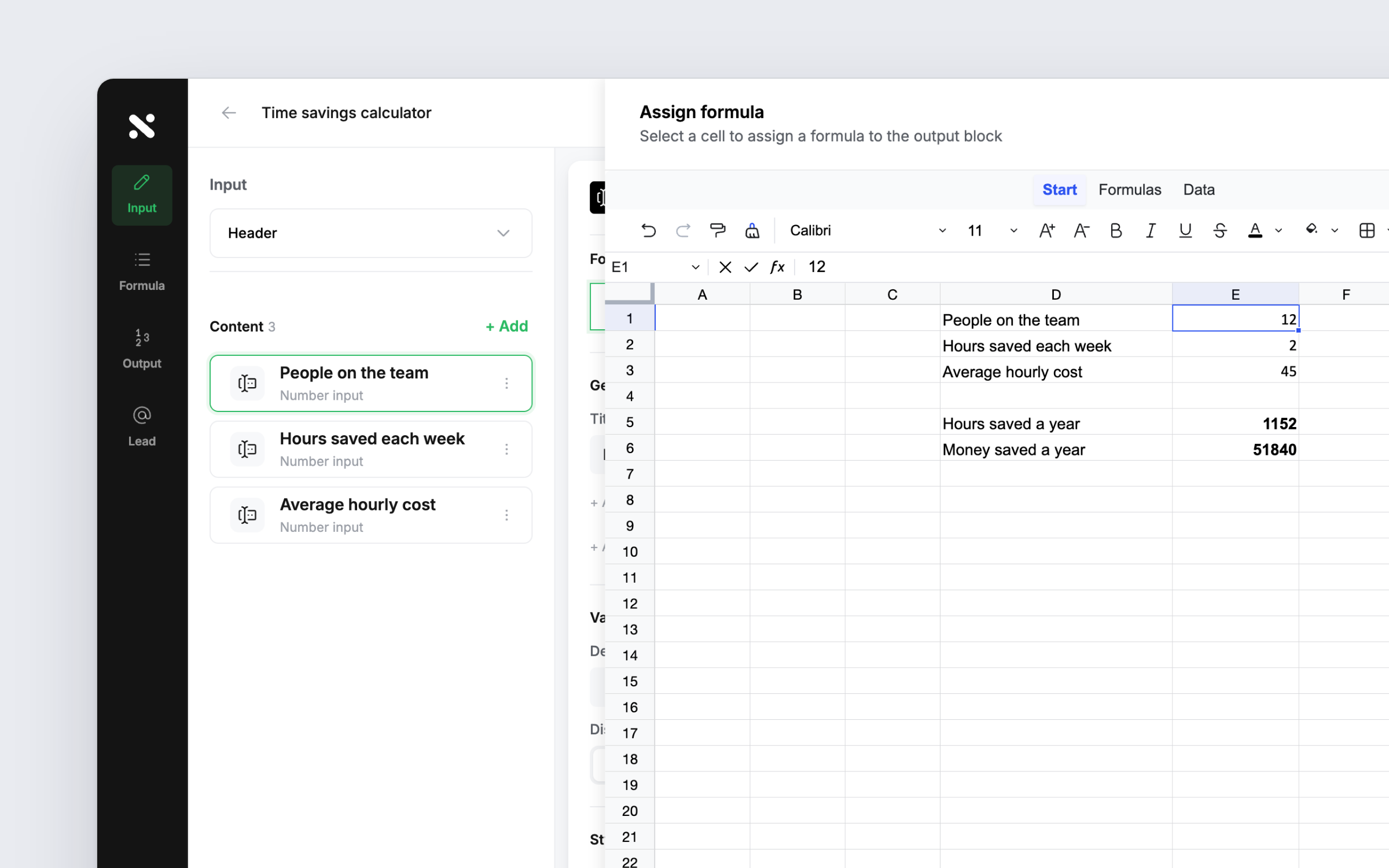
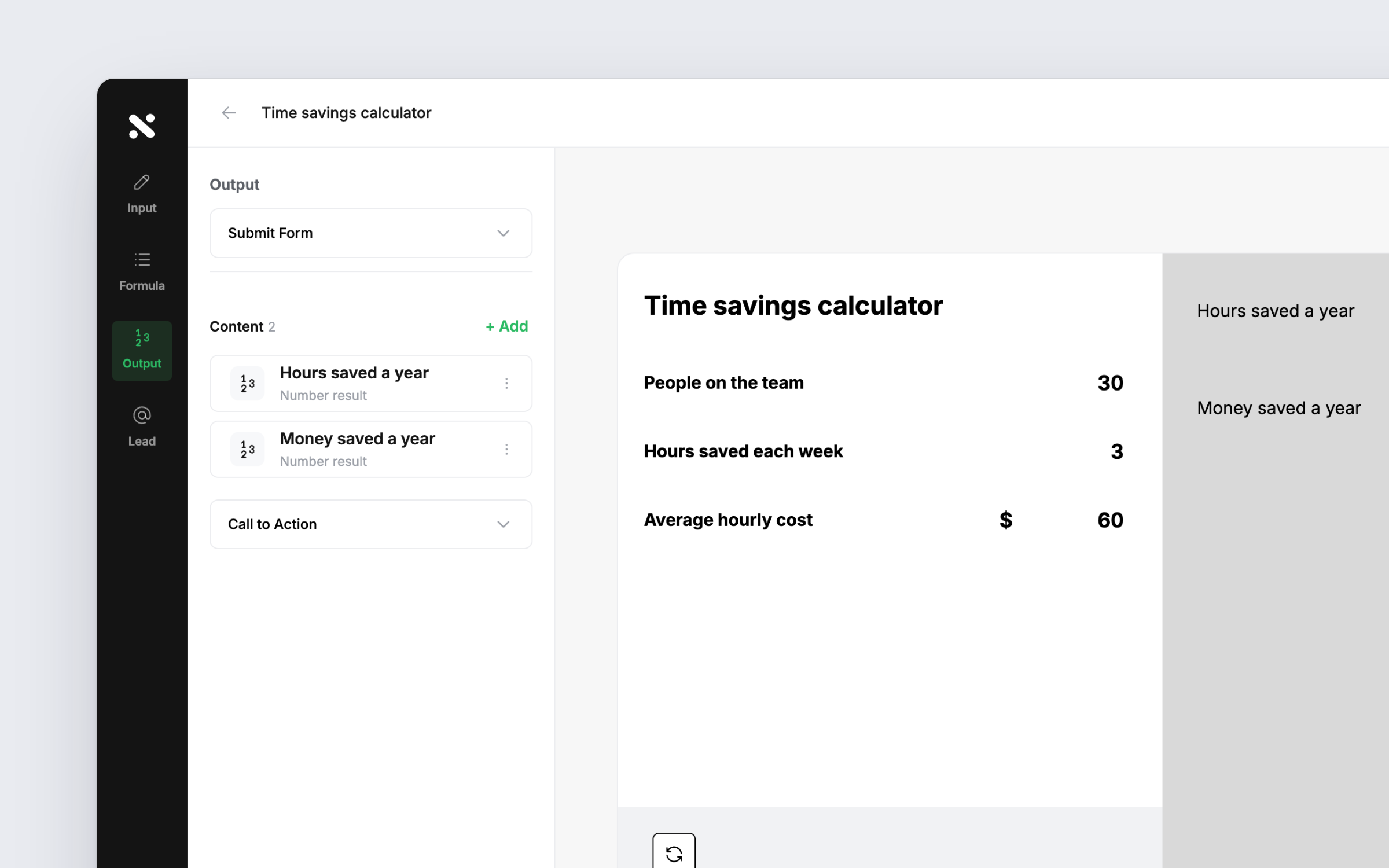
Two decisions cost something. Replacing the old formula system broke calculators customers had already built with it, and we made the migration anyway because the spreadsheet engine was the scalable path. And I pushed to retire quizzes entirely: we were stacking features onto a product whose existing UI still needed polish, so quizzes went to the backlog and the team's attention went to refinement. Saying no to a shipped feature is harder than saying no to an idea.
Numio has been in continuous design and development since early 2024 and is live at numioapp.com, with the spreadsheet engine shipped in mid-2026. Calculators built with it run for customers including Vivint, Michelin, RiverSource, IBM, and Seismic. Under the hood, the published calculators recompute headlessly in the visitor's browser, and the spreadsheet is never exposed.
The biggest lesson: when users struggle with your invented system, the answer might be to stop inventing. Meeting people inside the tool they already trust beat every attempt to teach them ours. The second lesson is about restraint. Cutting quizzes and migrating off our own formula language both felt like losses in the moment, and both are the reasons the product got sharper.