extractor
Extractor is LexTriage's tool for running prompts across thousands of legal documents at once. Each export comes back as a spreadsheet, one row per document and one column per prompt, so a legal team can sort and filter its way down to the few files that matter.
- 1,000s
- of documents reviewed in a single export
- 1 prompt
- to get started, instead of a form full of filters
Extractor started as an internal tool. You picked a folder, picked prompts, set a stack of filters, and got back a spreadsheet. It worked, but the New Export form was busy, cases weren't really a thing in the app, and anyone outside the team who built it had a hard time knowing where to start. The brief was to make it feel like a product the whole firm could use: easier to start, organized around cases, and nicer to spend a day in.
I started from the existing app and the team's brief, then worked through each screen with the lead developer. The old form asked people to translate what they wanted into a stack of filters first, so the filters became a single instructions box. You describe what you need, an LLM drafts the plan, and the Advanced settings are still there for anyone who wants to tune it by hand. Common jobs like a Discovery Log, a Medical Chronology, or a Depo Summary became one-click quick links.
Home is now an instructions box with your recent exports right under it. Cases got their own tab, a case field on every export, and a case page that holds that case's documents, exports, and prompts in one spot. Documents moved from loose folders into a real library with upload, move, grid and list views, and multi-select for moving, archiving, or deleting. The design also covers sign-in for LexTriage accounts, editing prompts in an overlay, and tablet and mobile layouts.
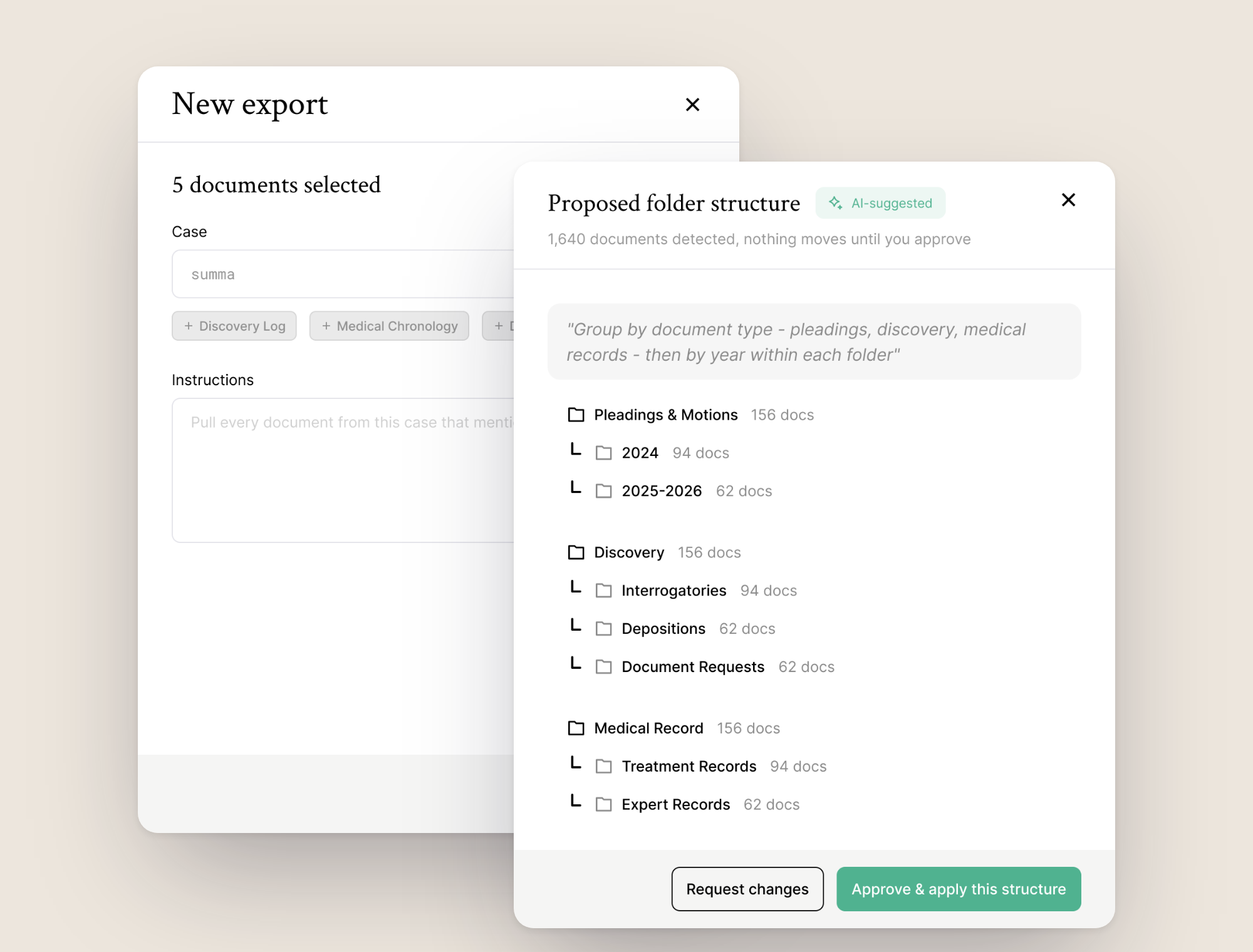
Sorting 1,640 documents into folders by hand is nobody's favorite afternoon, so I designed an Organize with AI flow. You say how you want things grouped, and a toast lets you keep working while it thinks. Then a review drawer shows the proposed folder tree with document counts. Nothing moves until you approve it, you can request changes instead, and once it's applied there's an Undo right there. With AI touching legal files, being able to see it and take it back mattered more than speed.
The latest piece brings client communication into the case. A messages window on the case page holds client and third-party threads, with search, sort, pinning, and archiving, plus an All Clients thread for broadcasts. Each message goes out as a text or an email, and email threads carry attachments, so signed forms land next to the case they belong to instead of in someone's inbox.

The biggest change in this project was what got taken away. A form full of filters turned into one sentence, and the AI parts stayed quiet: they suggest, you decide. I also learned to design for people who read for a living. Lawyers notice when something is off, so the type is calm, the tables are plain, and every AI step shows its work before it touches a file.